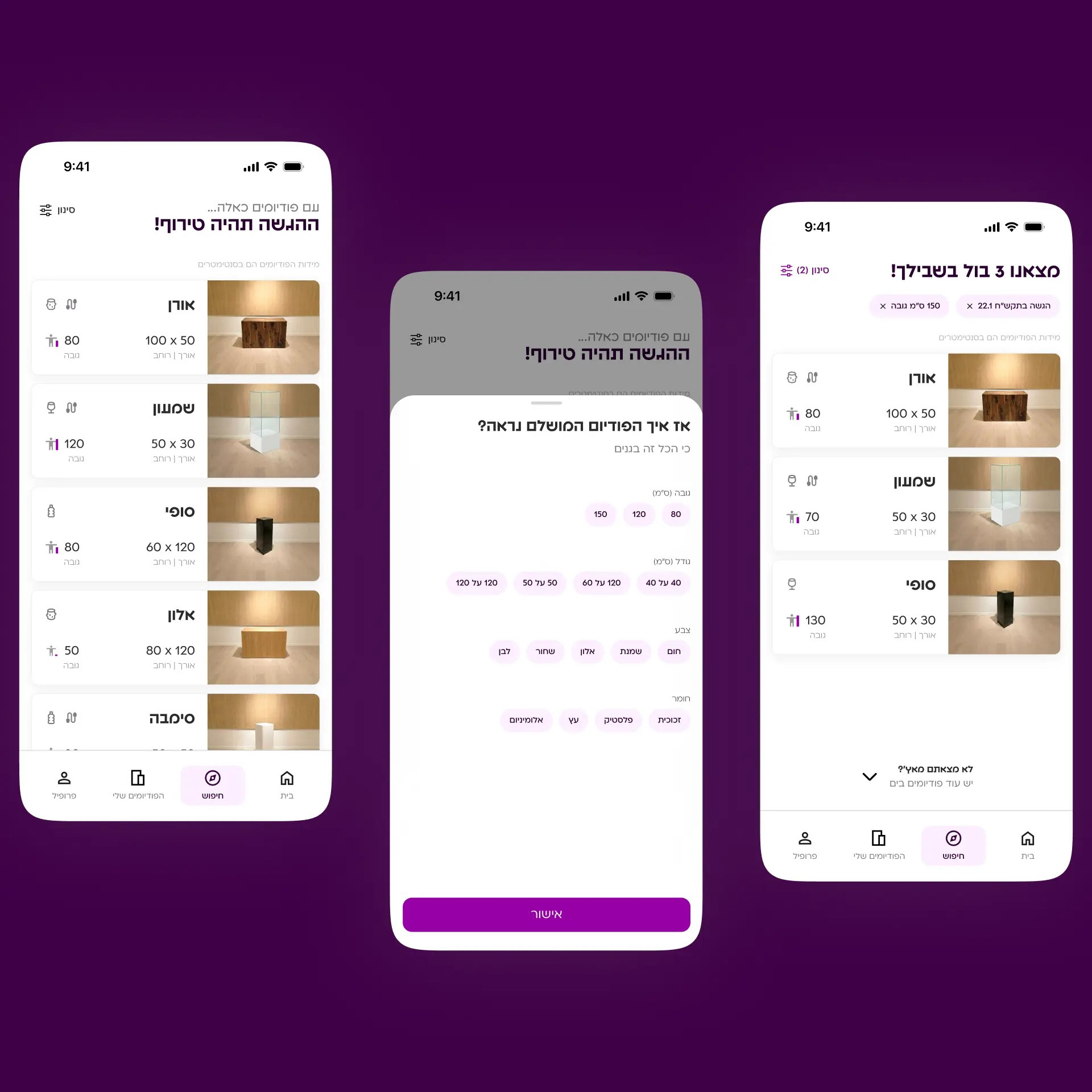
A single place that shows the full podium inventory, with filters so users can quickly find what they need
Icons that show podium material, cable hole availability, and height for fast scanning of key details
The Explore page is available without signup, so users can confirm what they need exists before registering
Icons that show podium material, cable hole availability, and height for fast scanning of key details
The Explore page is available without signup, so users can confirm what they need exists before registering
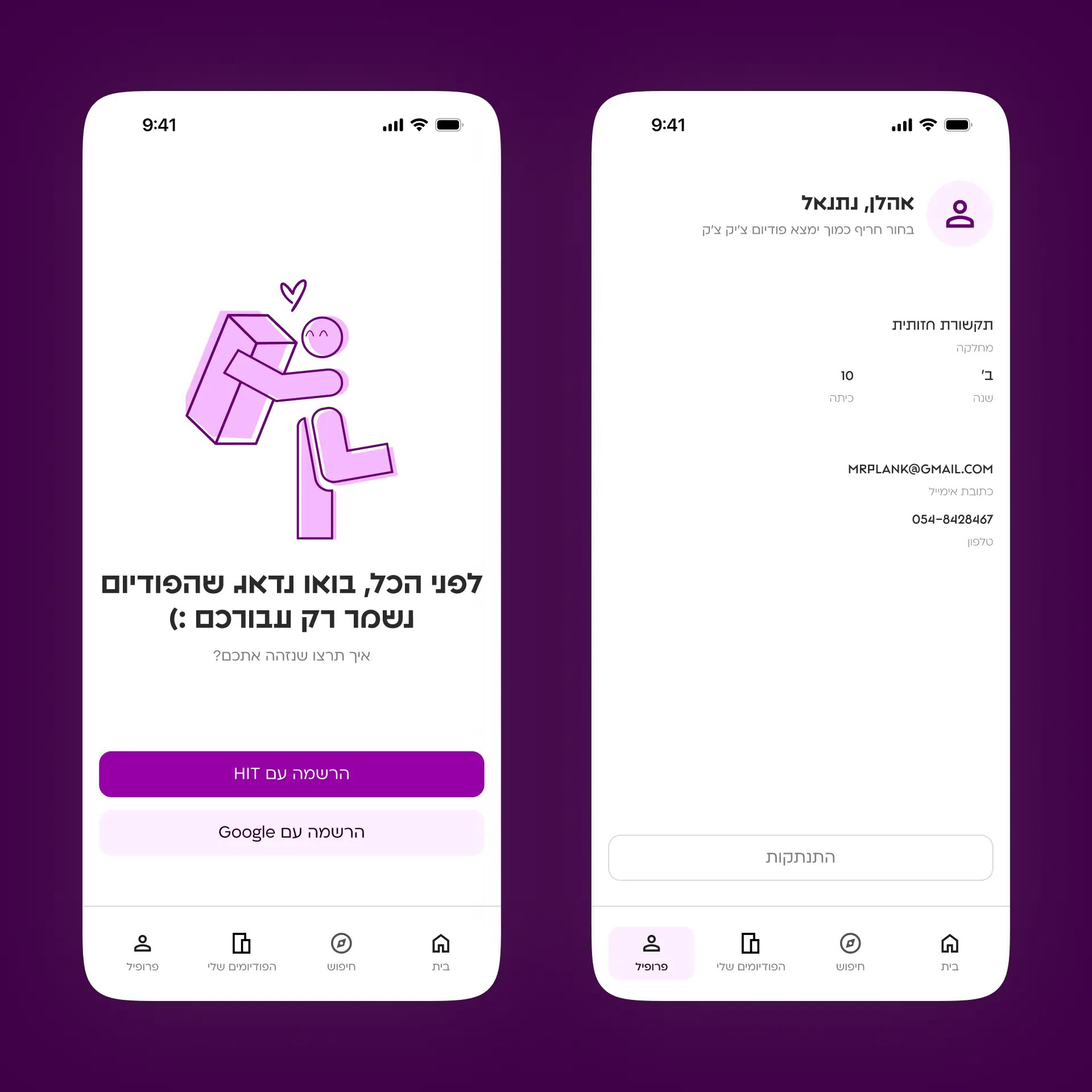
Signup use college credentials to pull the student’s presentation schedule based on their department and year, without manual input.
Signup happens during the reservation flow, so the podium is saved for the specific student who booked it, and only for them.
Signup happens during the reservation flow, so the podium is saved for the specific student who booked it, and only for them.
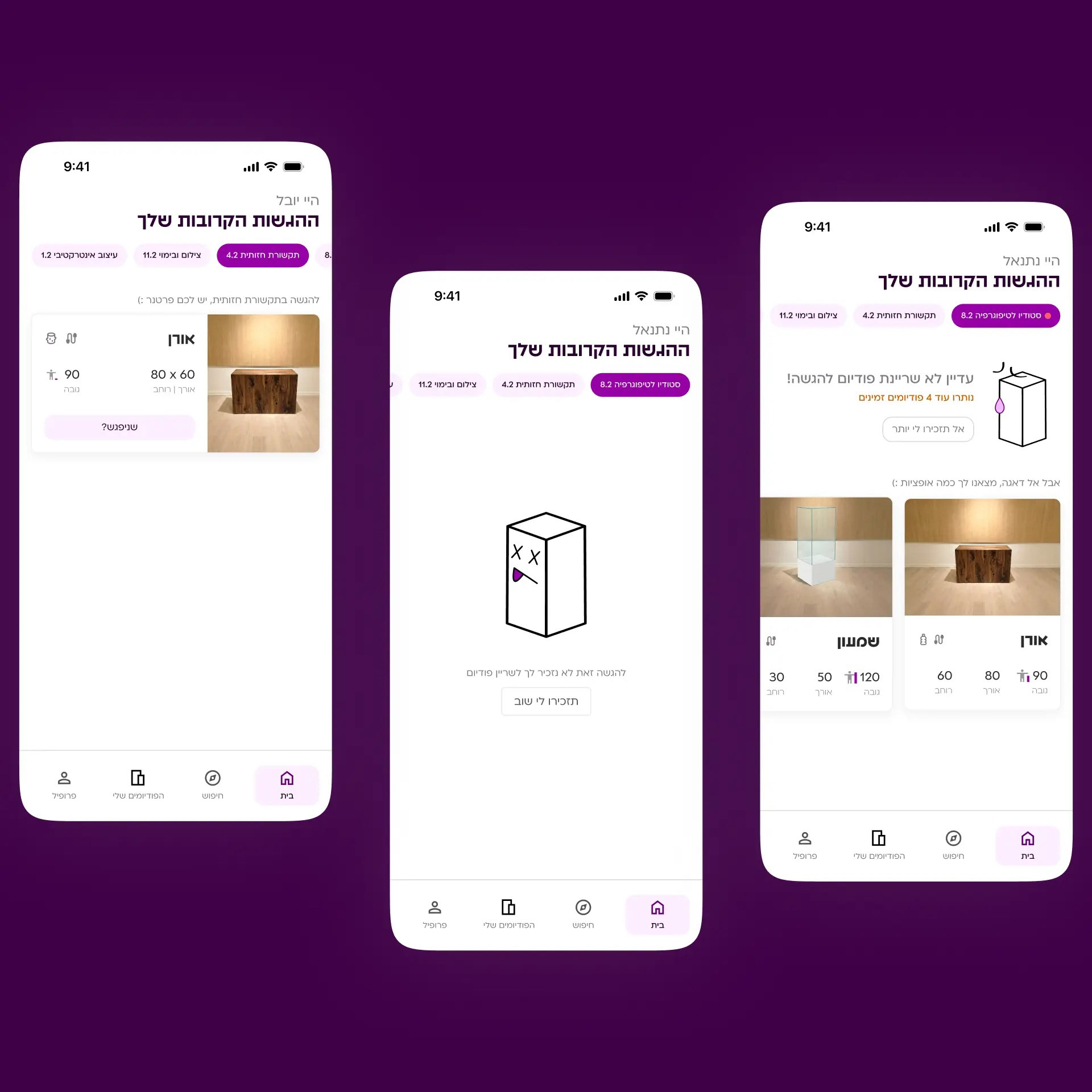
Home screen with one place to see all upcoming presentations
Presentations are sorted with those missing a podium first, then by the closest date
Shows how many podiums are still available for the selected presentation
For presentations without a booked podium, the app suggests suitable podiums to reduce unnecessary searching
App reminders, with an option to turn them off, about a week in advance
Presentations are sorted with those missing a podium first, then by the closest date
Shows how many podiums are still available for the selected presentation
For presentations without a booked podium, the app suggests suitable podiums to reduce unnecessary searching
App reminders, with an option to turn them off, about a week in advance
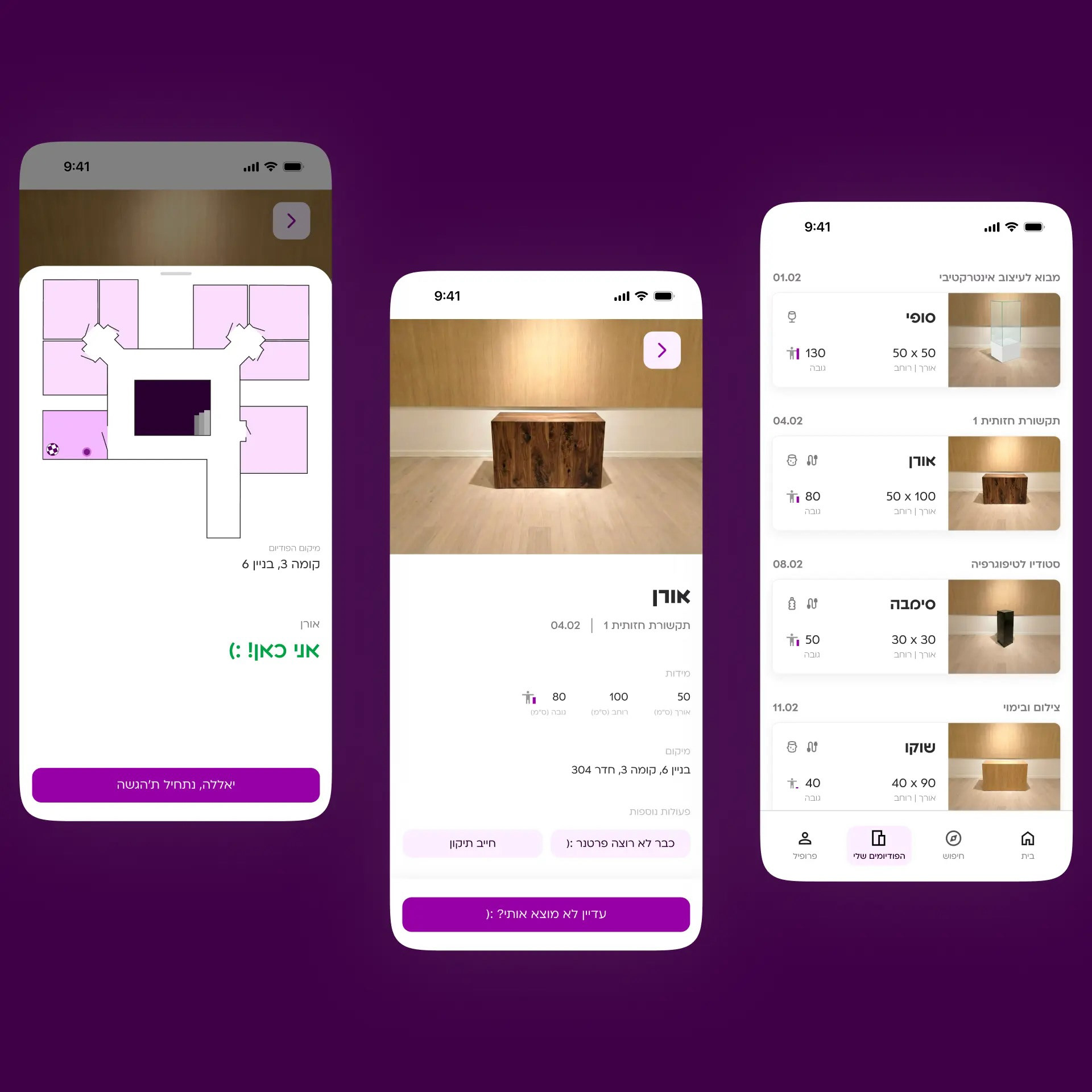
One place to see all reserved podiums and locate them in the building
AirTag-based tracking for live directions on presentation day
AirTag-based tracking for live directions on presentation day
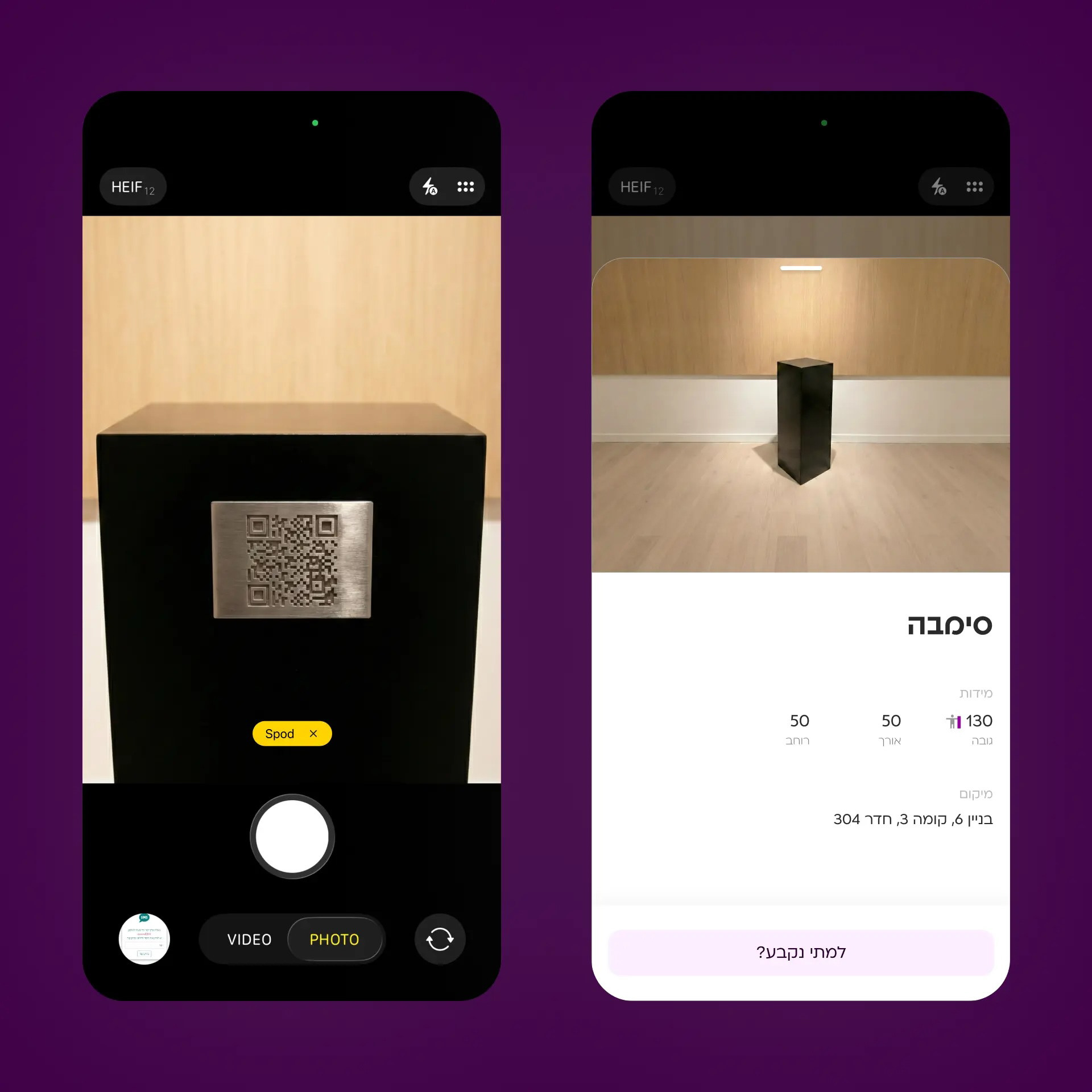
A QR code that shows who reserved the podium and for which date, to prevent someone from taking a podium that’s already claimed.
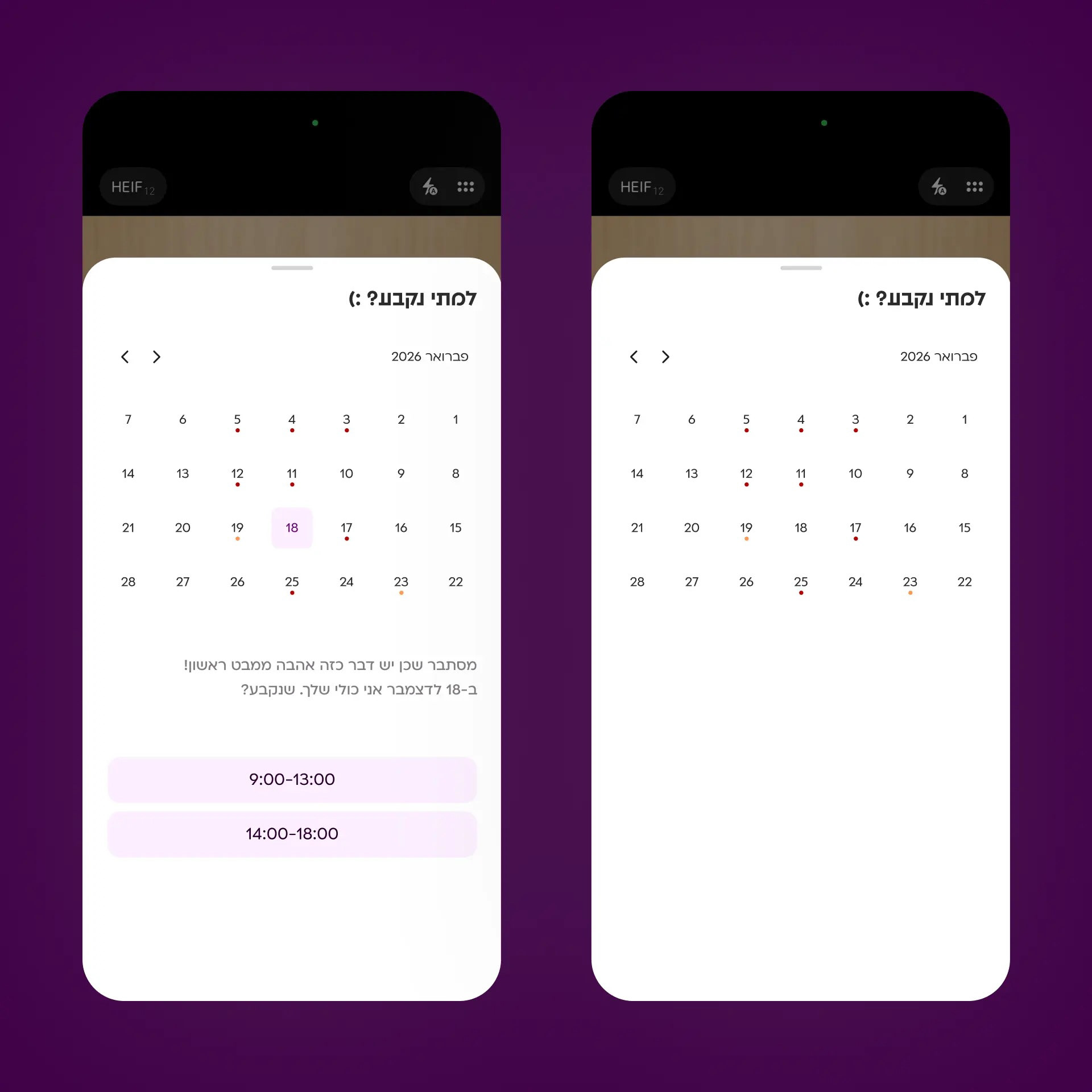
A visual calendar indicator showing podium availability for each day, so students can understand availability without checking dates one by one.